Hook workshop and voices that learn from your edits
Get the newsletter
What shipped and what we're learning building Ballad, in your inbox. Unsubscribe any time.
Hooks you pick, kept in the draft
Ballad now workshops hooks for social posts, and voices learn lasting style lessons from your edits.
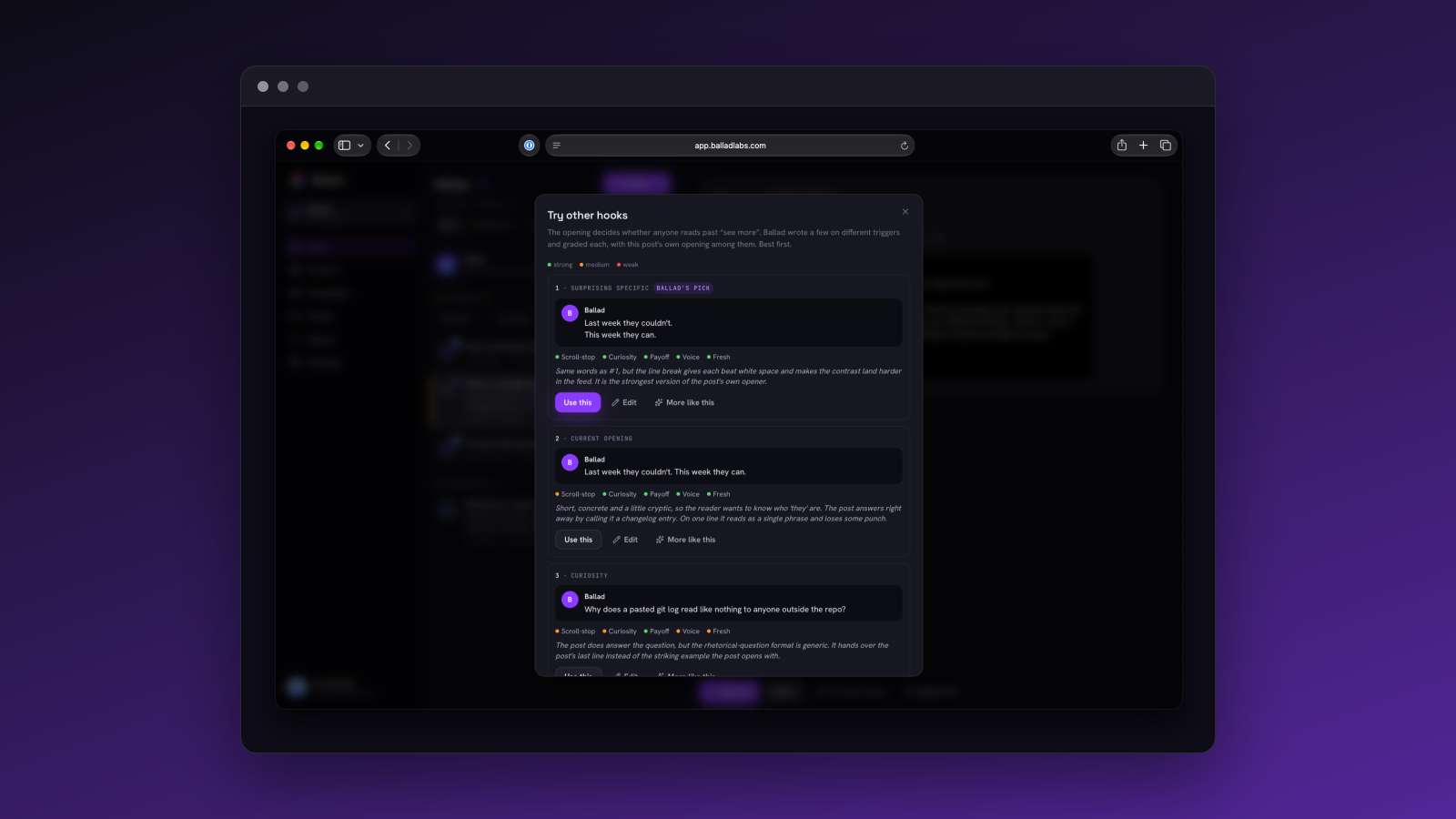
On the hook side: for a social post, Ballad proposes several hooks at once across six angles, such as curiosity, contrarian and confession. Each is graded strong, medium or weak with a one-line reason, so you can pick the one most likely to stop the scroll before a brief is written.
The hook you pick stays picked. A brief from Talk it through now carries an agreed hook and ending, shown on the card as Opens with and Ends on. When you hit Draft it, the piece opens with your hook word for word and keeps your close instead of being re-angled. You can also open drafts from the card and dictate.
Voices that learn from your edits
If you edit Ballad's drafts, Ballad now learns from it.
Each edit teaches up to three style lessons about length, structure, openings, closings and rhythm. A lesson you repeat grows stronger, a new one is added, and one that goes unused fades over time. The strongest are applied to every draft in that voice and listed in Settings › Voices.
Settings › Voices also shows which writing samples actually reach the writer. You can pin up to three so they're never dropped. Samples learned from your edits now make it into drafts, and when the cap is hit, the oldest unpinned sample goes first.
Over the MCP connector, agents such as Claude can view a voice in full, including samples and notes. They can add or remove samples, vocabulary rules and distinctions, and fix a sample's text or title in place without losing its date or position. A vocabulary term can name just the word to use or just the word to avoid.
Also changed
Most Inbox sections, including Waiting, Replies, Launches, Sequences and Website, now show the newest item at the top. Approve works differently: what you asked for stays on top, then the rest follow newest first.
In Settings › Workspace, "What Ballad does here" now shows each kind of marketing as running or not set up, based on your real setup. Running ones link to Collections, Voices or Changelogs so you can manage them. Ones not set up have a Set it up button that opens the walkthrough. This replaces checkboxes that didn't actually stop Ballad drafting.