Placeholder: Inbox decisions in Slack, and a calmer Sitemap
Get the newsletter
What shipped and what we're learning building Ballad, in your inbox. Unsubscribe any time.
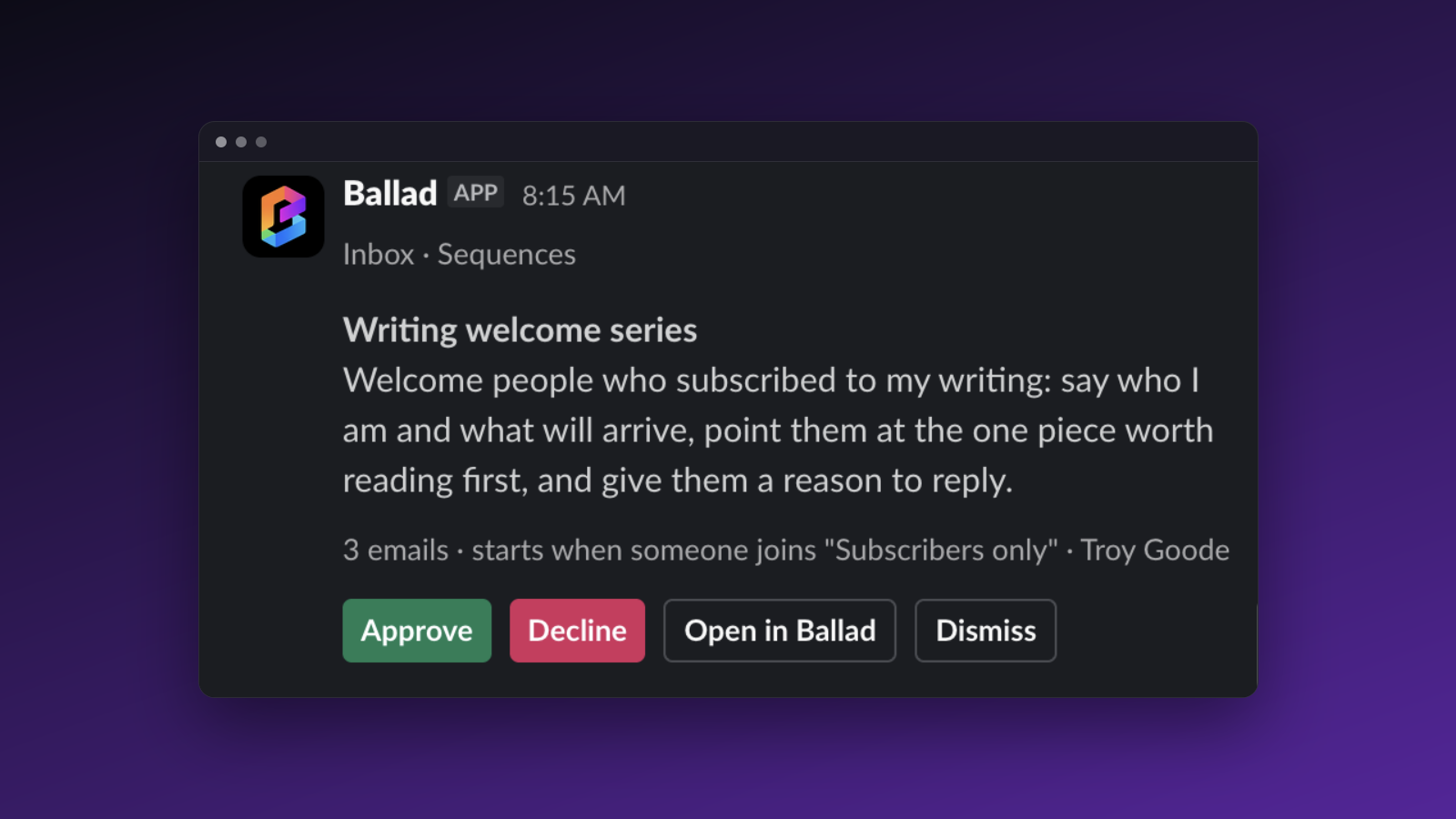
This one's four separate fixes to the Inbox and the Sitemap, not one big feature. You can now approve or reject Inbox items straight from Slack cards, folders in the Sitemap view collapse when a site gets large, approve/reject actions in the Inbox now show a confirmation toast with an undo option, and article drafts recover from mid-run failures instead of leaving a stuck duplicate behind.
Approve from Slack, and undo when you're wrong
If you run your Inbox from Slack, two things change.
First, coverage. Connected workspaces now get a card for every item across Waiting on you, Approve, and Sequences — not a curated handful. A card closes on its own once the item leaves the Inbox, so you're not staring at stale requests. Quiet hours still apply: instead of pinging you all day, everything batches into one digest. Approving or rejecting from a card does exactly what the matching button in the Inbox does — same action, no separate logic to trust.
Second, confirmation. Every approve or reject, in Slack or in the Inbox, now shows a toast confirming what happened, the next action available (publish now, post now, view live), and an undo within a short window. Approve a batch and you get one toast with the count, not one per item. The same toast now shows up when you decide on an article opened from the Inbox.
Connect or reconnect Slack under Settings → Notifications.
A Sitemap that doesn't drown you, and drafts that recover
Ballad crawls your site daily and keeps every page it finds as a tree, and on a large site that tree used to just get long. Now folders with more than eight pages start collapsed, showing a page count and the most common page type in that folder. Open one and you get up to a dozen pages, with the rest behind an "and n more" link. If your site is big enough that the map only shows a subset of it, the header tells you that directly, so you're not left wondering if you're looking at everything.
Separately: if drafting an article fails partway through, the run used to leave a stuck duplicate draft sitting next to the finished one. That no longer happens. A failed run cleans up after itself instead of doubling your cleanup work.