
Roles, email invites and keyword research
Get the newsletter
What shipped and what we're learning building Ballad, in your inbox. Unsubscribe any time.
We shipped workspace roles: every workspace now has Owner, Administrator, User and Viewer. You invite teammates by email from Settings › Workspace › Members. Ballad also does keyword research now: it finds searches your site doesn't rank for yet and shows what your competitors rank for. There are smaller changes further down.
Bringing teammates in
Invite a teammate in Settings › Workspace › Members: enter an email and a role in the Invite people row. Resend or revoke open invites from one list.
Owners can do everything. Administrators can do everything except transfer or delete the workspace. Users work on their own voice. Viewers can look but not change or ask. The rules hold in the app and the MCP connector.
Shared invite links are retired; existing ones work until they expire.
Settings is now grouped into You, Workspace, Content and Connections. "What Ballad does" moved to Settings › Onboarding, and Agents is now My Agents.
Owners and admins add email accounts in Settings › Email, with default from and reply-to addresses. Each voice can pick one and override them. Newsletter setup offers your existing account.
Company blogs can list several authors, each with a share. Ballad picks the topic, then the author whose beat fits, and signs it in that voice. Teammates join from their voice walkthrough.
Keyword research and search tracking
Ballad now finds keyword opportunities: searches your site doesn't rank for yet. It also shows what your competitors rank for, with estimated visits and where you rank, shown as "You #n". Searches your buyers actually make are listed first.
New workspaces get their first AI-visibility, keyword and site-audit reads right away, instead of waiting for the weekly run.
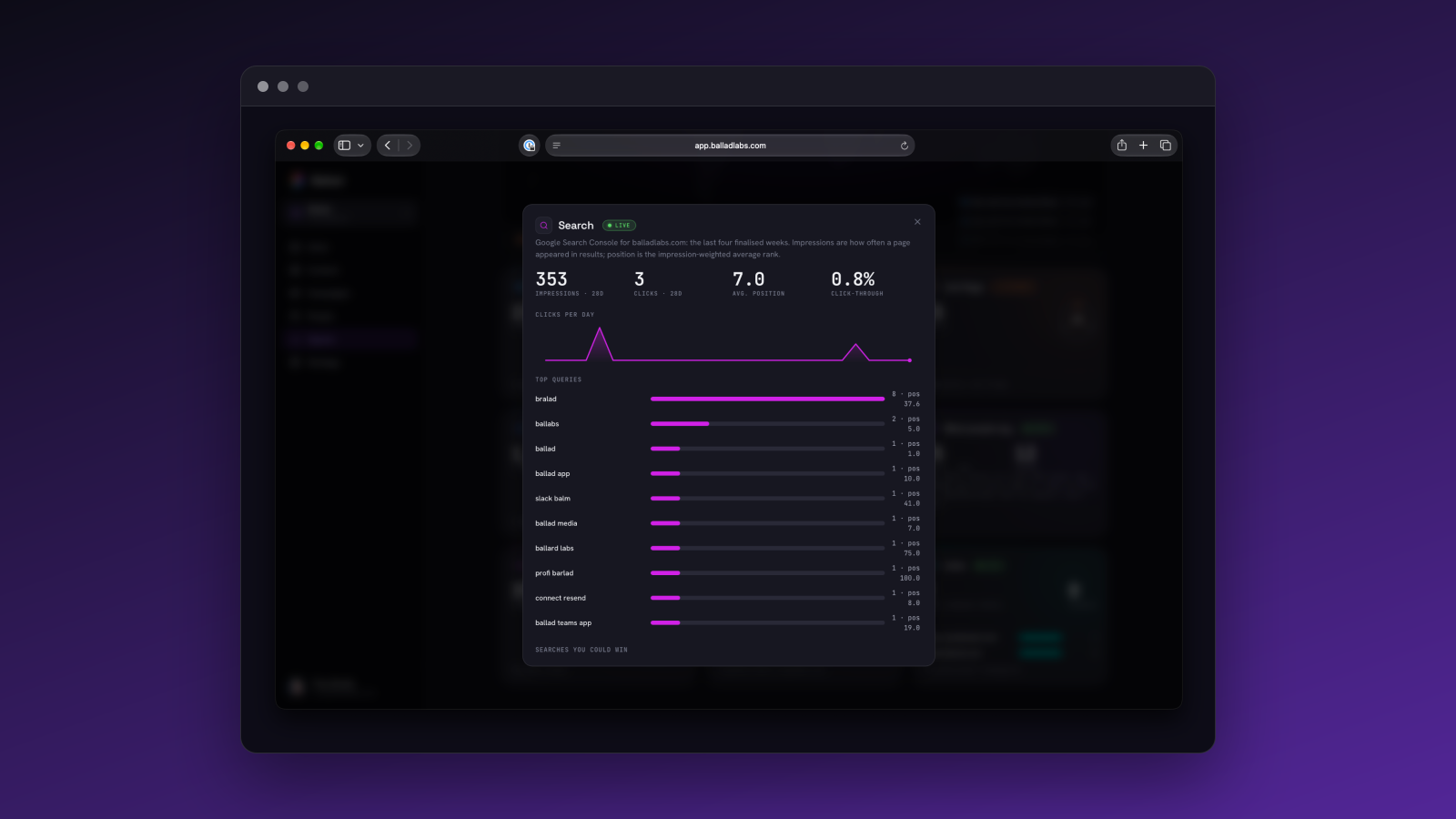
Signals › Search now lists the searches Ballad wrote articles for, with each article's weekly position, clicks, impressions, visits and signups. The same record appears in the article's sheet and in the Inbox.
Ballad also finds pages that link to your competitors. Those are places you could be mentioned.
Also in this release
- Battlecards: Add a competitor with a domain and its battlecard drafts itself, showing "Drafting…" until it's ready. Competitors in Strategy link straight to their battlecard once drafted, and the battlecards link no longer leads to a missing page.
- Founder posts: Posts now follow a mix of topics: building in public, reactions, your own field, personal, and the problem your company solves. Each draws on something real, like a release or this week's numbers. Only asks and problem posts may mention the company.
- Blog articles: Unbriefed articles pick their topic from real signals: AI answers that name competitors but not you, recurring audience questions, recent releases and market threads. The review shows a "Why this topic" note.
- Today and Slack: Today's opening from Ballad lists up to three things only you can do, such as filling in your voice, pasting customer feedback or connecting GitHub. "Not now" hides an item for a week. A weekly Slack message after the morning digest carries the same list; the "Only you" switch in Settings › Notifications controls it.
- Free workspaces: An idle free workspace goes dormant, which pauses some background work such as AI-visibility checks. It wakes instantly on the next visit. Members get one email when it goes dormant, saying their work is safe and nothing is deleted.